Android users may prefer an app-like way to access an online casino, but downloading an APK calls for more care than installing software from Google Play. This guide explains how to check whether a Gamdom Casino APK is currently available, how to install it safely if it is, and what UK players should consider before creating an account or depositing. Availability, app features and terms can change, so verify details directly with the operator before proceeding.
Check availability before downloading
Start with Gamdom’s official website, rather than an APK directory, download mirror, social media post or advert. Type https://gamdom1.co.uk/ into your browser and check whether the site identifies an Android application and provides a download link. Confirm that the link is presented by the operator and that the page explains which countries and devices are supported.
If no official Android download is offered, do not substitute a file from an unofficial source. A copied or modified APK could contain malware, collect login details or redirect payments. In that situation, use the official site in your browser if it is accessible and lawful for you to do so, or wait until the operator publishes verified installation instructions.
Important UK checks
Being able to open a website or install an app does not establish that the service is licensed to offer gambling to people in Great Britain. Before registering, check the operator’s legal entity, licence information and terms. You can search the UK Gambling Commission’s public register to confirm whether the relevant company holds the required authorisation. If you cannot verify the position, do not deposit or gamble.
Also review the site’s age requirements, account rules, payment terms, privacy policy and responsible-gambling tools. Gambling is for adults aged 18 or over in Great Britain. Do not use a VPN or false details to bypass geographical restrictions; that may breach terms and could complicate withdrawals or account checks.
How to install an official APK on Android
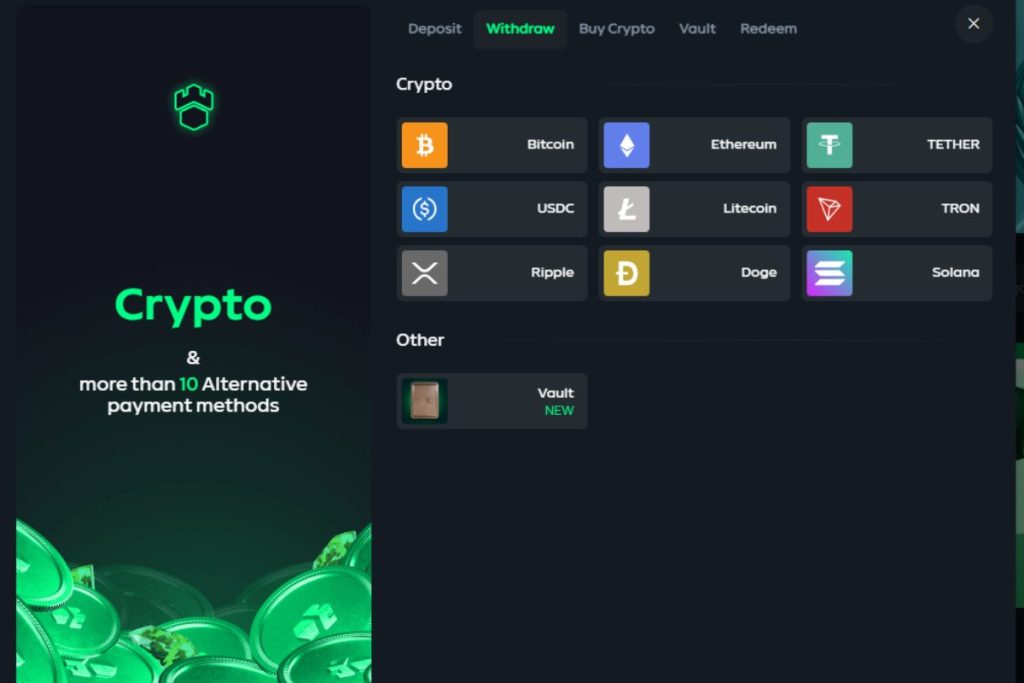
Use these steps only if Gamdom itself currently provides an APK for your region. Android menus differ by manufacturer and operating-system version, so the labels on your phone may not match exactly.
- Confirm the source. Open the official Gamdom page in your browser and follow its own Android download instructions. Check the address carefully and avoid links sent through unsolicited messages.
- Read the details. Look for the app’s name, version, file size, supported Android versions and any publisher information. Stop if the page looks inconsistent, asks for unrelated permissions or provides no trustworthy explanation of the file.
- Download the file. Tap the operator’s APK link and wait for the download to finish. Do not open duplicate files from pop-ups or other websites.
- Allow installation only when prompted. Android may ask you to permit your browser or file manager to install unknown apps. If you choose to continue with a verified official APK, grant permission only to the app you used for the download.
- Review the installation screen. Check the app name and requested access. A casino app should not need broad access to contacts, messages or unrelated device functions. Cancel if anything seems suspicious.
- Install and launch. Once installed, open the app and verify that its sign-in page and links lead to the operator’s official domain. Do not enter payment details if you are unsure of the app’s authenticity.
- Turn off the permission again. After installation, return to the relevant Android security settings and disable “install unknown apps” for the browser or file manager.
Keep Android’s security protections enabled. If your phone warns that the file may be harmful, do not dismiss the warning merely to complete the installation. Contact official support through a verified channel or choose not to install the app.
Using the site without an APK
If an official APK is unavailable, a mobile browser may be a simpler option. Visit the verified website, sign in only after checking the address, and use the browser’s own settings if you want a home-screen shortcut. A shortcut is not the same as an installed native app: it opens the site in a browser and does not make an unverified download safe.
For either route, use a unique password and protect the email account associated with your casino profile. Enable any additional account security the operator offers. Avoid saving payment credentials on a shared phone, and sign out when you finish using the service.
Questions and answers
Can I download the Gamdom Casino APK from Google Play?
Do not assume it is available there. Check Google Play and Gamdom’s official site for current information. If the operator directs users to an APK instead, verify the link and publisher before installing; never rely on a third-party download page as proof of authenticity.
What if Android blocks the installation?
Android blocks installations from sources it does not recognise by default. First confirm that the APK is genuinely linked by the operator and is appropriate for your location. If you cannot establish that, cancel. If you proceed with a verified file, follow Android’s one-time permission prompt and disable the permission again afterward.
Is an APK safer than the mobile website?
Not automatically. An APK can provide an app-style experience, but its safety depends on the source, integrity and permissions. A browser session avoids installing a separate package, though you must still verify the website address and protect your account.
Will the APK work on every Android phone?
No. Compatibility can depend on Android version, device hardware, app requirements and the operator’s regional availability. Check the current requirements on the official download page. Do not try to force an incompatible or altered file onto a device.
Can UK players use the casino after installing it?
Installation does not confirm that gambling is legally available to you. Check the operator’s current licensing and eligibility terms, including any geographical restrictions. If the service is not authorised for your location, do not use it to gamble.
Before you create an account or deposit
Read the bonus terms as carefully as the app instructions. Promotions may include wagering requirements, game restrictions, maximum bet rules, expiry dates or withdrawal conditions. Make sure you understand identity checks and payment processing times before sending money. Keep records of deposits and support conversations, and never pay an extra “release fee” to someone claiming they can unlock winnings.
Set a spending limit before playing and treat gambling as paid entertainment, not as a source of income. Casino games involve risk, and short-term results do not predict future outcomes. If gambling stops being enjoyable or affects your finances, take a break and use available account limits, time-outs or self-exclusion tools. UK players can also seek confidential support from organisations such as GamCare.
Final checklist
- Find the APK only through a verified official Gamdom page, if one is offered.
- Check licensing, territorial eligibility and account terms before registering.
- Decline suspicious downloads, unexpected permissions and security warnings.
- Disable installation from unknown apps after setup.
- Use a strong password, protect payment information and set firm gambling limits.
The safest approach is straightforward: verify the source and your eligibility first, install only an operator-provided file, and stop if any part of the process cannot be confirmed. If there is no official APK for your device or region, do not search for a workaround; use only an authorised, verified access method—or do not use the service.